lixu/Getty Images
Every year around mid-spring, Google hosts its annual IO event where it shows off the latest and greatest features coming to its products, services, and platforms. While the keynote address is now mostly reserved for AI and Gemini, we still got a sneak peek at the cool new things coming to Android 17. Here’s what you can expect when the update lands later this summer.
AI is everything these days, with Google even admitting it’s become an “AI-first” company under CEO Sundar Pichai, so it only makes sense that Android would receive a fresh new AI-powered update.
Those who despise it may do the unthinkable: consider switching to iPhone.
Perhaps as a cheeky nod to the flailing Apple Intelligence, Google introduced Gemini Intelligence, the first native AI agent for Android. Its main mission is to automate tasks on your device to free up your time to do other things. Just like you, Gemini Intelligence can interact with the apps installed on your device. If you don’t have an app required to complete a task, it can shift its workflow to the web via Chrome to navigate webpages.
It’s literally like having a personal assistant inside your phone. Tell it what to do, and it will go out and do it on your behalf. Theoretically, that means Gemini Intelligence can do your online shopping, reserve tickets to an upcoming concert, and even book your vacation, complete with airplane tickets and a hotel stay.
In many ways, Gemini Intelligence is the ultimate personal assistant that Google Assistant was always meant to be when it launched more than a decade ago, and with generative AI, we might finally be at the cusp of having useful AI agents in our mobile devices. That may excite some users who are bullish on the AI rush, while those who despise it may do the unthinkable: consider switching to iPhone.
While the Gemini Intelligence demo looked promising, we’ll have to test Google’s new AI agent firsthand to see if it lives up to the hype, which we’ll get to do soon. Gemini Intelligence is coming to Google Pixel 10 phones and Samsung Galaxy S26 devices later this summer.
 Gemini Intelligence/The Android Show/I/O Edition 2026
Phones are addictive, and even with the Digital Wellbeing settings baked into Android that let you set app timers and silence notifications, sometimes your favorite app still pulls you in and wastes hours of your time before you realize what’s happened. If you’re trying to kick certain addictive apps to the curb and setting time limits isn’t enough, Pause Point might be what you need.
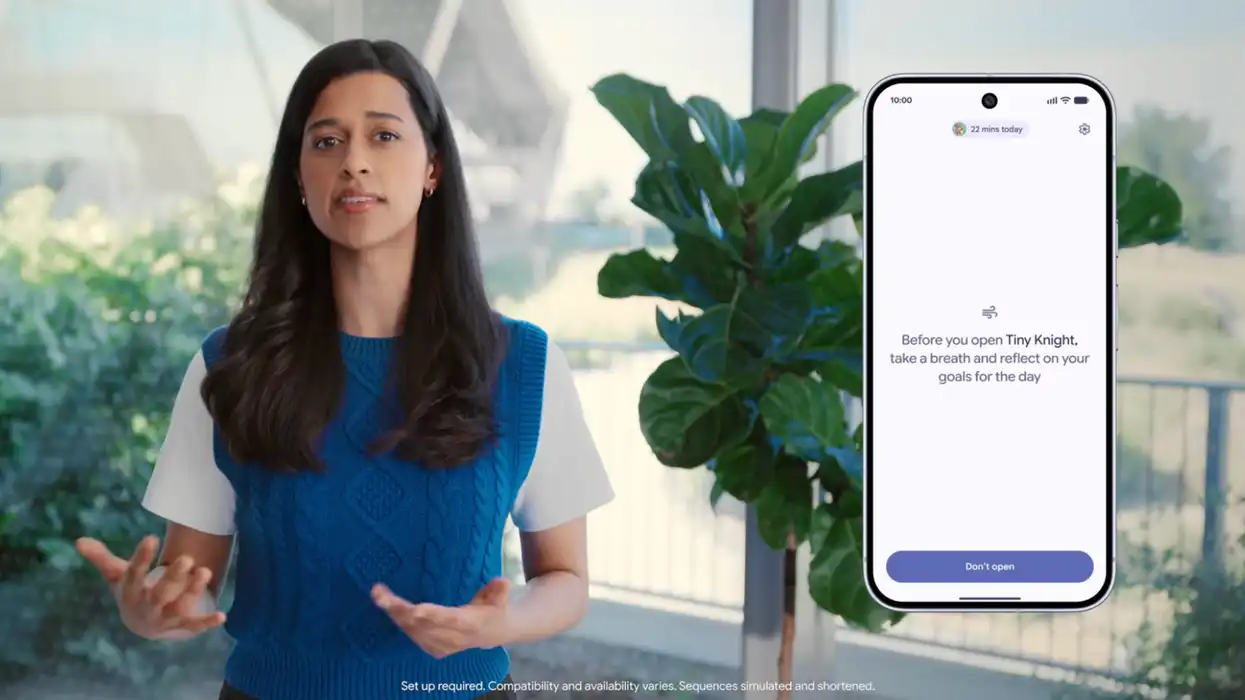
This new feature acts as a check point between you and your apps. When activated, a pause screen will show up on your device the next time you open an addictive app. The screen stays up for 10 seconds, giving you time to consider if you really want to click through and waste hours of time doomscrolling on social media or watching cascades of short-form videos. During the waiting period, you’ll be prompted to take a couple of meditative breaths or browse photos of people you should spend time with instead of scrolling. You can even tell it to suggest different apps to open instead of that one addictive thorn in your side.
RELATED: Sick of Microsoft's preinstalled propaganda on your PC? Block it now.
 DigitalVision/Getty Images
Either let the time go by and open the app anyway, or tap “Don’t Open” to close the addictive app and reclaim the free time you almost lost.
The idea of Pause Point is to get you to think twice before you spend too much time looking at a screen, and even though it might sound a little silly for some, it’s a great tool for other users who want to break their app addiction without completely throwing out their smartphone.
 Pause Point/The Android Show/I/O Edition 2026
Google had a few more interesting updates before the close of the event. Here are the highlights:
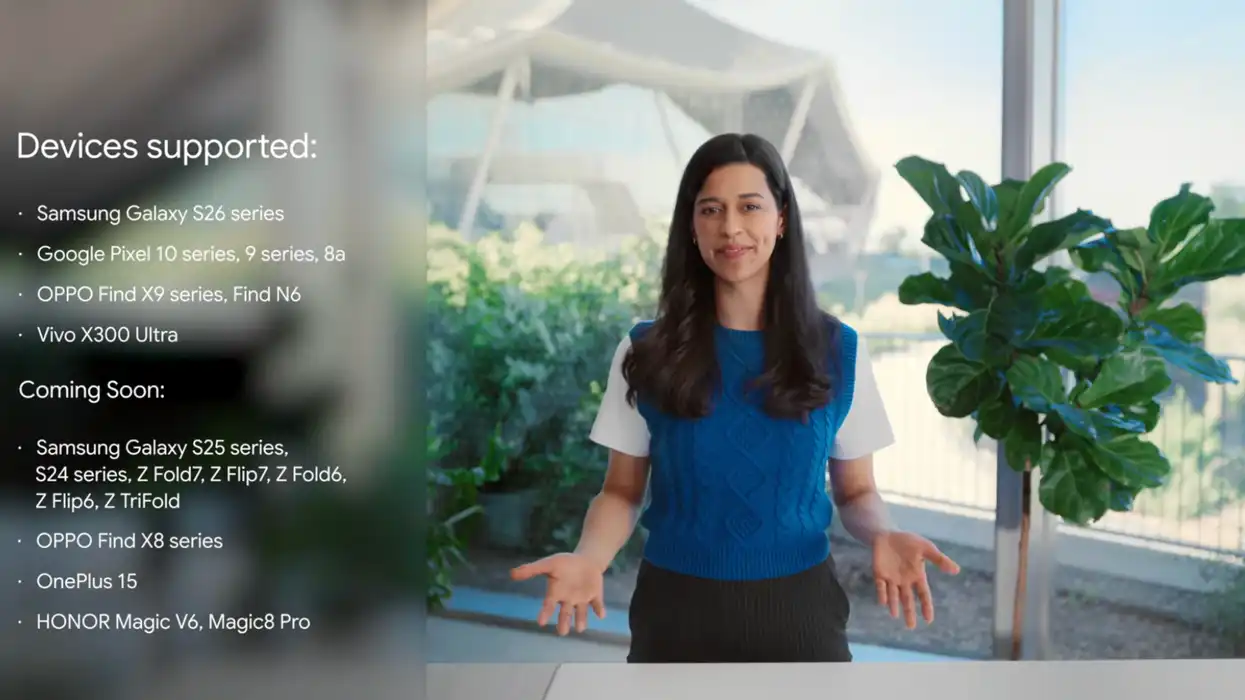
Expanded Quick Share support: It’s easy to share a photo from one iPhone to another with AirDrop, or between Android phones with Quick Share, but it’s nearly impossible to do the same across OS platforms. That’s changing now that Android 17 includes interoperability with AirDrop, letting iPhone owners and Android users exchange photos, videos, and other files over the air with just a tap. The list of supported devices is small right now, but it’s a step in the right direction to knocking down the walled garden that historically made it harder for Apple and Google devices to communicate with each other.
 Quick Share + AirDrop supported devices/The Android Show/I/O Edition 2026
New iOS transfer tools: Again, it’s easy to upgrade from an iPhone to an iPhone and Android to an Android, but it’s historically been difficult to switch platforms entirely. With Google’s new iOS transfer tools, more of your personal data can be pulled from an old iPhone to a new Android phone, including apps, app data, home screen layout, calls, contacts, and more.
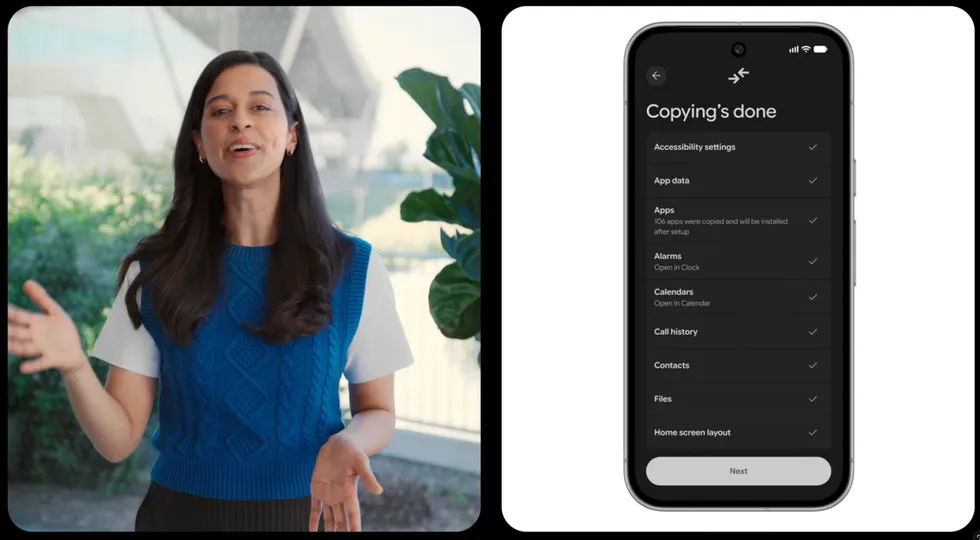 New iOS transfer tools/The Android Show/I/O Edition 2026
Android Auto optimizations: Widgets you can easily glance at are coming to Android Auto to provide more contextual information about your apps while on the road. Immersive navigation offers a new 3D view of Google Maps when driving, complete with lanes, stop signs, stop lights, and other markers. You can also watch videos on the internal display when your car is stopped or listen to the audio of the video only when in drive.
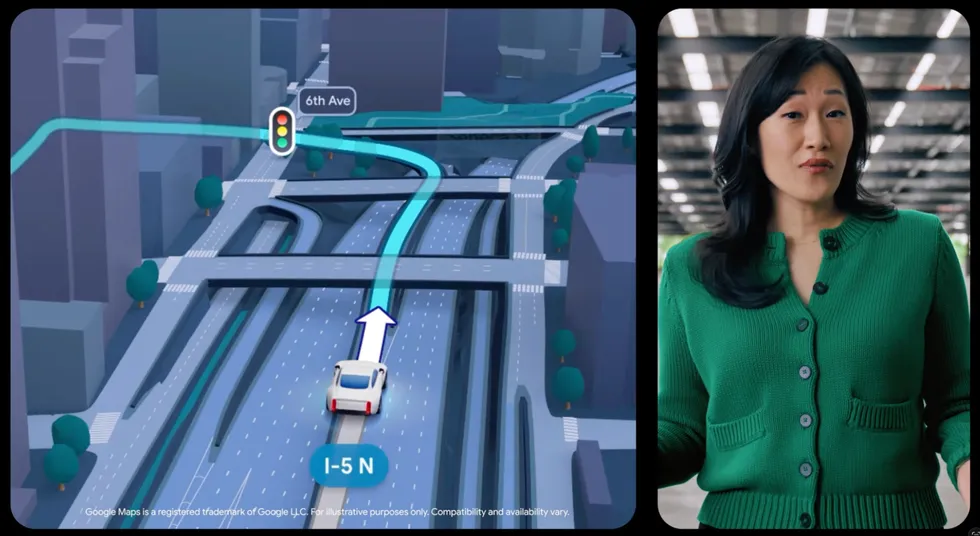 Android Auto updates/The Android Show/I/O Edition 2026
Serving as its “one more thing” moment, Google had a final surprise to tease before the end of the event. It’s called Googlebook.
Not to be confused with Google Books, the books archival service established in 2004, or Google Play Books, the company’s little-known competitor to Amazon Kindle and Apple Books, Googlebooks are a new breed of laptop that run on a combined version of Android and ChromeOS.
Just like mobile Android, this laptop-ready version of Android is centered on AI. Gemini lives in the cursor. Simply wiggle the mouse to summon it to the forefront to read your screen and complete different tasks based on what it sees — schedule a calendar event it spotted in your email, automatically write a reply, or prompt Gemini with your own queries. The goal is to make laptops more useful with AI, though I’m not sold on the initial demo. It feels like Googlebooks are still searching for a problem in need of a solution to make them stick.
Nevertheless, Googlebooks are meant to replace Chromebooks as Google’s flagship laptop platform, though Google claims that Chromebooks are also sticking around, at least for schools and other institutions.
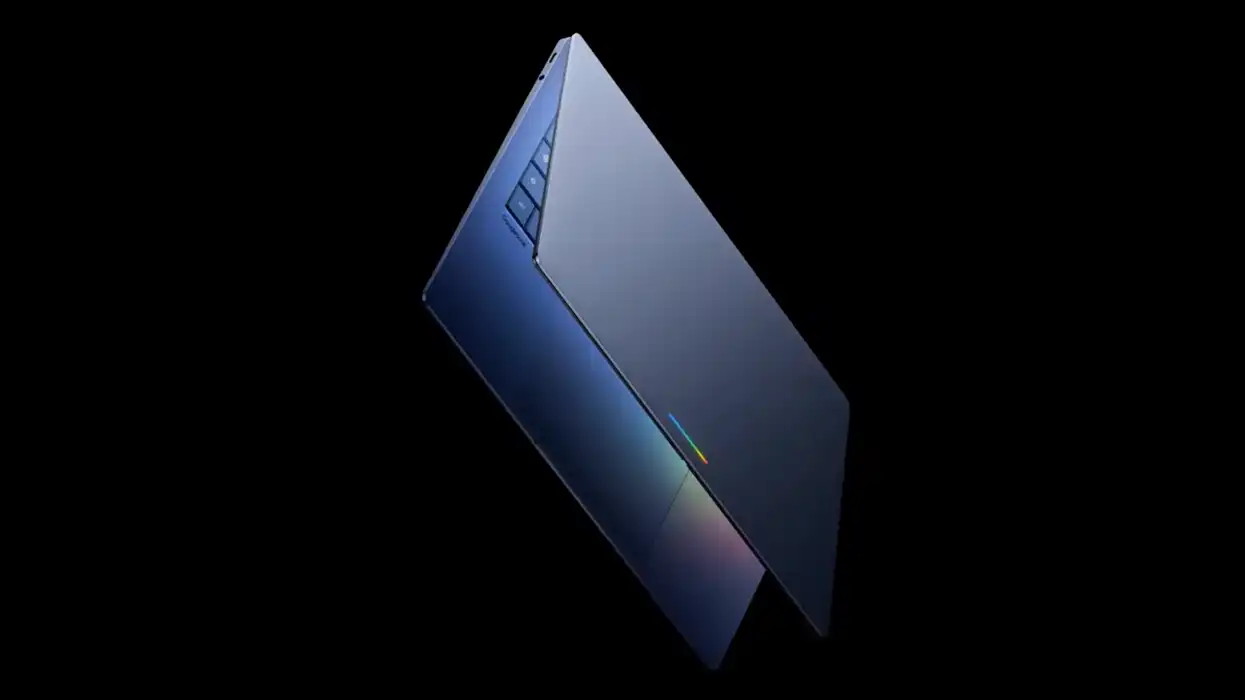 Googlebooks/The Android Show/I/O Edition 2026
All the features covered today are expected to roll out in Android 17 to Google Pixel phones first this summer. After that, it will make its way to other Android phones as OEMs like Samsung, Motorola, and OnePlus integrate their user interfaces into the final Android codebase for their own devices.