Zach Laidlaw
Part of what makes Fitbit Air so good is the new Google Health app. Google Health is a complete overhaul of the original Fitbit app, taking Fitbit’s core features and expanding on them with a new design. Plus, paid users get a nifty AI upgrade that provides clarity to their data, and it can even help users get in better shape. Here are my thoughts after testing the app for two full weeks.
Now, a quick disclaimer before we dive too deep — many users didn’t like the new Google Health app when it first launched, and some even reported several pretty egregious bugs with missing data, unfinished UI elements, and clutter. From what I can tell, iPhone users had more trouble getting the app to work properly than Android users, signaling a possible development issue between platforms. Personally, I tested the app on my Google Pixel 10 Pro XL, and it was mostly bug-free.
Most data in the app is collected automatically.
There are two experiences you’ll find in the Google Health app. Free users get access to all the tracking features you’d expect in a fitness band, including everything we covered in the Fitbit Air review. There is also a subscription option called Google Health Premium (available as an add-on for all users and included for free on all Google AI Pro and AI Ultra accounts), which unlocks a Gemini-powered AI coach that looks through your data, builds custom fitness plans, and serves as a personal trainer through your fitness journey. Before you raise the red flag on privacy, Google states that it is “committed to not use Fitbit users’ health and wellness data for Google Ads. The Fitbit app is now the Google Health app, and we’ll continue to keep this commitment.”
Take that as you will.
 Screenshots by Zach Laidlaw/Google Health app
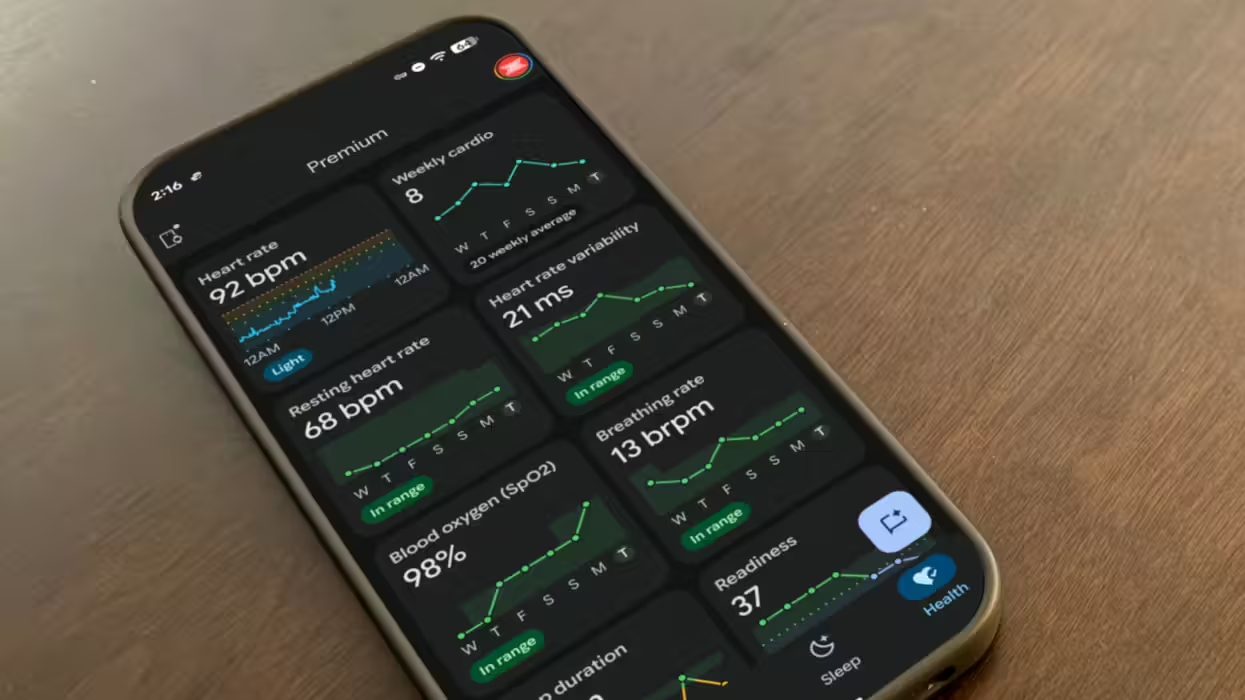
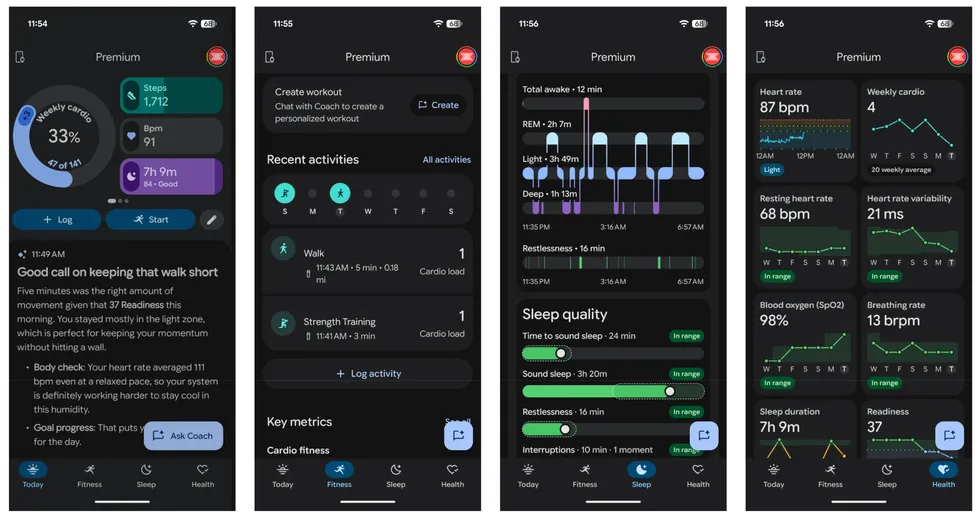
Information tabs: At first glance, Google Health is packed with information. The “Today” view offers quick glances at customizable tiles that show useful data like steps, sleep, heart rate, readiness score, etc. The “Fitness” tab shows a running list of weekly activities, as well as cardio and fitness metrics that highlight your overall heart health and output for the day. The “Sleep” tab provides neat daily graphs of your sleep quality from the previous night, along with a sleep score that tells you how rested you are. Finally, if you want even more information, check the “Health” tab for an entire wall of everything your fitness tracker knows about you. There’s a lot.
Google Health Coach: Like having your own personal trainer, the AI-powered Google Health Coach is great at building workout plans and tuning them based on how your body reacts and recovers. Coach looks at your data every morning, measuring yesterday’s activity against last night’s sleep quality to determine how hard you can push today. Coach is also flexible, so if your body isn’t responding well to the current plan, it can use your data and feedback to make a new one. The coolest part is that Coach is always available to chat about anything related to your health, whether it’s exercise routines, diet, illnesses, mental health, etc. Although Coach is powered by Gemini, all health data and conversations stay within the Google Health app; the main Gemini app doesn’t have access to this information.
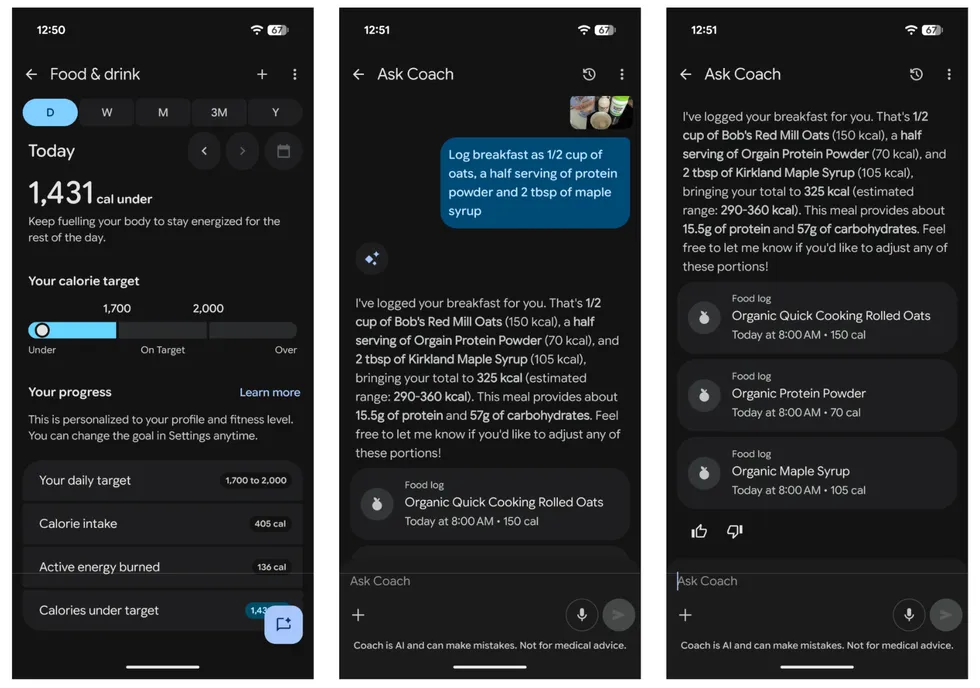
Food log: If you’ve ever used a food tracking app to watch your calories and maybe lose some weight, you’ll know that the worst part is logging the data by hand. If you spring for the AI plan, Coach makes food logging more accessible with a new photo feature that lets you take a picture of your food, describe what it is, and it’ll log the calories for you. That said, accuracy was a mixed bag during testing, with some foods marked accurately while others were tens to hundreds of calories off. Your mileage will vary depending on the foods you eat, but at the very least, this feature has made me more conscious of my food choices over the last two weeks.
Interoperability: Since Google Health is replacing the Fitbit app, it has to work across platforms. It’s currently available for Android and iPhone, and it can track health metrics directly from existing Fitbit devices, the new Google Fitbit Air, and Google Pixel watches. For iPhone users, it even has the ability to pull health data from Apple Watch via the Apple Health app and analyze it in the Google Health app.
 Screenshots by Zach Laidlaw/Google Health app
Clutter: While the app provides a lot of health data, the user interface is busier than I’d like. The Health tab in particular is just a wall of information that’s sometimes more daunting than informative, especially when searching for a specific metric among the mess. Google needs to overhaul the layout and allow users to group data together into organized sections — heart, activity, sleep, energy input and output, etc.
Manual data: Most data in the app is collected automatically via a fitness tracker, but manual data is a different story. You can input things like weight, body temperature, glucose levels, food, and water intake by hand, but you’re out of luck if you want to add medical information. You’ll have to connect Google Health to your medical provider or upload blood tests to log your allergies, medications, blood pressure, health conditions, procedures, and more. There should be a way to log everything by hand without turning over your medical records, but that currently isn’t an option.
Google Health Coach: I like Coach a lot (as you can see above), but it also has some issues. For instance, it doesn’t always listen. On my initial setup, I told it about my health ailments, including a year-old arm injury that only bothers me on occasion. For a week after that, it repeatedly asked me how my arm was doing after workouts — even ones that didn’t involve my arms at all — despite telling it to stop. On a couple of occasions, it also misread the metrics in my app and built an activity plan based on incorrect data. As it turns out, Coach can and will hallucinate just like any other AI. Finally, Coach adds to the clutter by leaving walls of AI-generated text everywhere throughout the app. I would prefer if Coach lived only in one section of Google Health, but right now, you can find it spread around every single tab, adding to the chaos.
Privacy: Lastly, there’s the massive elephant in the room. Google is a data hog. Its entire business model is built on gathering as much information as possible and monetizing it through ads. This is how it offers so many “free” products and services. Ultimately, to get the most out of the new Google Health app (and Fitbit Air hardware), you have to turn over a lot of very personal data, and whether or not you trust Google with your health is something only you can decide for yourself.
For what it’s worth, Google promised not to use customer health data for ad targeting and other “Don't be evil” things. In the EU, it’s even legally blocked from monetizing this data, but there’s a time limit in place. The ban only lasts for 10 years from Google’s Fitbit acquisition in 2020. With only 4 years left, Google can legally monetize health data at the turn of the decade. The only question is: Will it? Google would face a massive PR nightmare if it decided to cash in on its users’ trust in its products, but that hasn’t stopped it before. As for what Google will do about all the information contained in Google Health, I guess we’ll find out ... in 2030.