
Organic Media/Getty Images
While lawmakers try to cram down restrictive age verification laws that would implement nationwide digital ID to use devices, AI, and the internet, Big Tech is fighting back by giving parents more control on their platforms. Apple is the latest to join the effort with new child safety features for iOS 27.
Child safety was one of the headlining announcements when Apple unveiled iOS 27 at WWDC this past spring, and now that the operating system is widely available for iPhones 11 and up, you can enable these on your child’s device right now.
Apple’s new child safety features in iOS 27 are all about parental control and responsibility.
To set up a new child account with the latest child safety features in place, you must establish a "family" within your iPhone. To get started, open the Settings app, tap on your iCloud account at the top, then tap “Family.” Next, select “Create Child Account” and input your child’s name and date of birth.
You’ll be prompted to input your child’s iCloud email address or create a new one, along with a password that you and your child can remember. You can choose to keep this password to yourself or share it with your child.
Lastly, you can choose whether you receive a notification on your phone or on your child’s phone if your child tries to sign in on another device with his or her Apple account. It’s best to set this to alert your phone number, just so you’re aware if your child tries to use a separate device.
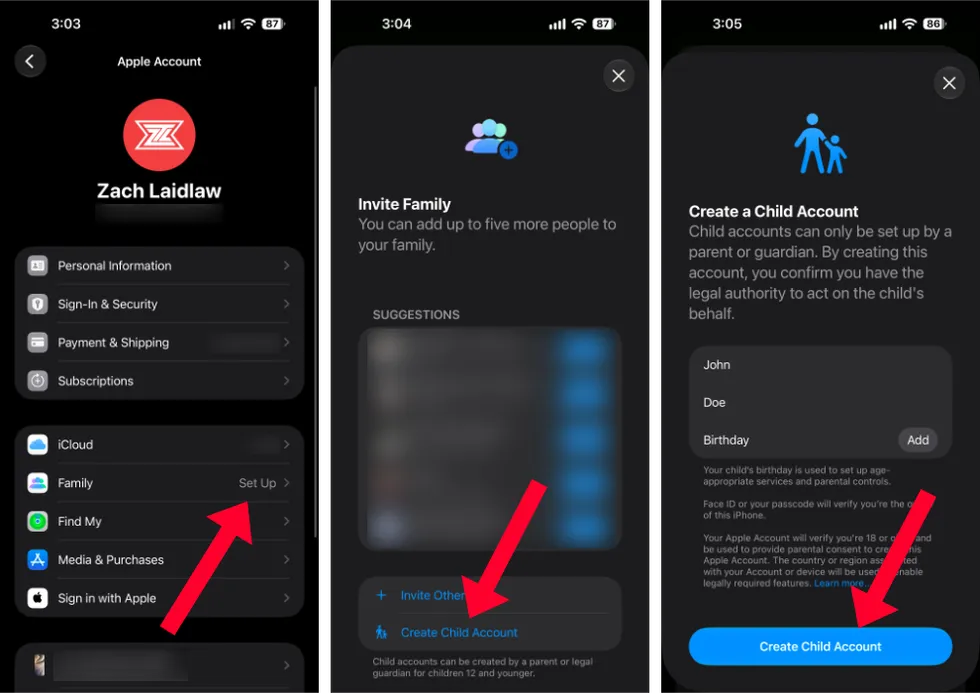 Child Safety Features in iOS 27/Zach Laidlaw
Once everything is set up, you now have new controls to govern your child’s account:
You also have the option to share your child’s location from his or her phone to yours. Enable this so you always know where your child is through the Find My app. This is especially useful if your child attends school and participates in extracurricular activities.
And that’s it. Your child is now protected based on the parameters you set. You can also change these parameters at any time, choosing to add more restrictions or loosen them as circumstances change and your child grows older.
To tweak the parameters, go back to the Settings app, tap on the “Family” tab beneath your name at the top, choose your child, and make adjustments accordingly.
RELATED: Not all new iPhones are worth it. This one blows them all away.
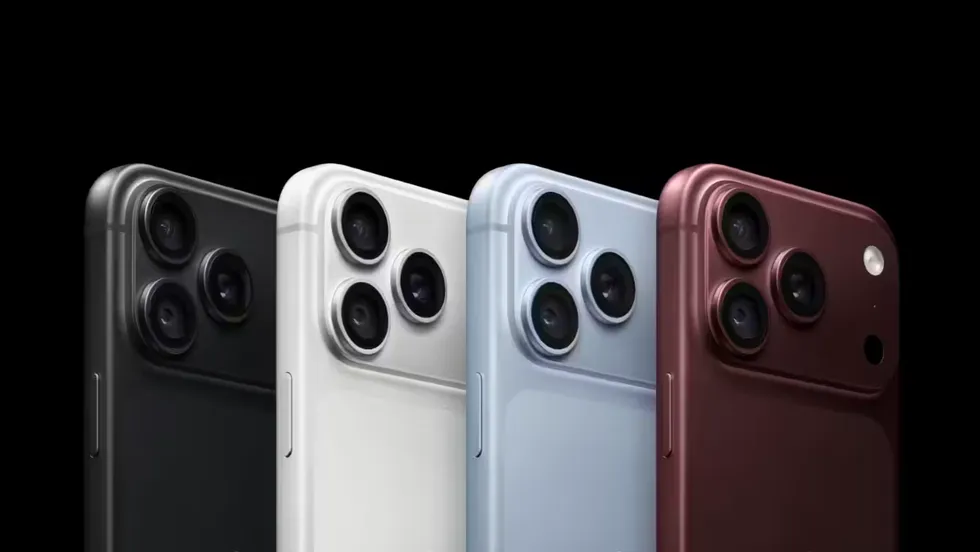 iPhone 18 Pro Max Models/Apple
Apple’s new child safety features in iOS 27 are all about parental control and responsibility. It’s up to parents to decide what their kids can and can’t see, and for families in Apple’s product ecosystem, these tools go a long way to provide meaningful guardrails without government overreach.
As for Android users, Google has taken steps to add more parental features as well, with a new API that offers “age-appropriate experiences” to users. It’s not nearly as robust as Apple’s offerings here, but at least both companies are moving in the right direction.
Apple’s new child safety features are available in iOS 27. Install it on your device now for instant access, plus you get other features like the new Siri, a more accessible Visual Intelligence, and custom Safari alerts.
Like Blaze News? Bypass the censors, sign up for our newsletters, and get stories like this direct to your inbox. Sign up here!